Drafts and autosave
A draft is an editable App configuration. You can keep several drafts while one Published version remains visible to visitors.
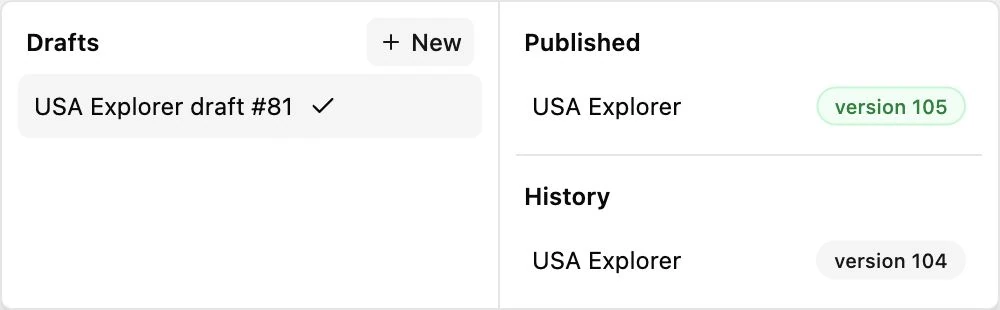
Open Versions
Section titled “Open Versions”Click Versions in the upper-right toolbar. The Drafts list shows available editable configurations. Click a draft row to make it the current editor draft. Renaming uses Rename and edits the title in place.
Use New to create a draft from the editor’s current working configuration. It receives an automatic name based on the App title and draft ID. You do not need to name it before editing.
Use Branch in new draft on Published or History when you want a new draft based specifically on that version rather than your current work.
Autosave
Section titled “Autosave”Small edits are automatically retained in the browser’s IndexedDB cache and synchronized with the server. The toolbar reports saving, saved, or offline state. Wait for synchronization before changing devices or relying on another browser to have the same draft.
There is no separate Update button for every edit. Autosave updates the draft; Publish controls which configuration visitors receive.
Autosave does not create a new public history version after every small change. Publish is the meaningful release boundary for the App’s configuration.
Compare and delete
Section titled “Compare and delete”Use a draft’s Compare with Published action to inspect differences from Published. The compact comparison lists parameter, Published value, and draft value.
Use Delete draft only when you intend to remove that draft. A confirmation appears first. Do not use deletion to resolve a synchronization conflict without preserving the desired changes.
Drafts retain App options, Layout, templates, and presentation rules. Collection records, schemas, and Query definitions are shared resources. Changing or restoring a draft cannot undo edits to those resources.
For missing-server drafts, outages, and conflicting edits, see Offline editing.