Queries and Page bindings
A Query defines the source and selection of records. A Page binding chooses which Query an App uses for its Objects or Regions.
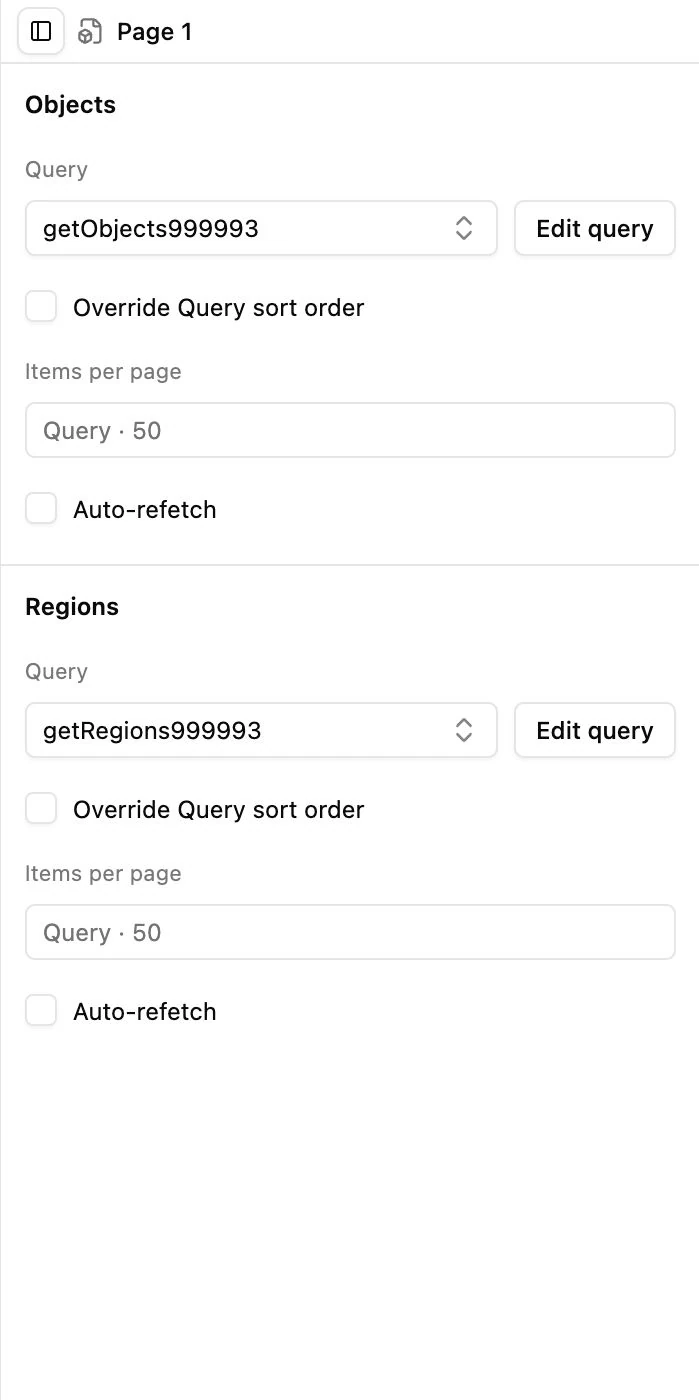
Select a Page Query
Section titled “Select a Page Query”- Open your App’s App panel.
- Select Page 1 in the component tree, or use its Edit data bindings shortcut.
- In Objects, choose a Query that returns the records for markers and object-based content.
- In Regions, choose a Query compatible with the SVG’s Region records.
- Review parameters, ordering, Items per page, and Auto-refetch for each binding.
Use Edit query beside a selector to open that definition in Database → Queries. It navigates to the shared Query; it does not make a private copy for this App.
Create or adjust a Query
Section titled “Create or adjust a Query”In Database → Queries, select or create the Query. Choose its Collection and configure the returned records/fields using the available editor. Give it a clear name, such as a name describing its source and purpose.
Preserve the fields needed by your App: region ID for Regions, Location for markers, and fields referenced in templates, filters, categories, or data rules. A projection that omits those fields can make records appear incomplete in the map.
Defaults and overrides
Section titled “Defaults and overrides”Query settings provide default sorting and item count. A Page can override them without changing every other consumer of that Query. An empty sort override inherits the Query’s order.
Regions Queries normally load all matching SVG regions unless pagination is explicitly enabled. Objects Queries normally use a page size. A component’s Show pagination controls whether buttons are visible; it does not itself decide how many records a Query loads.
Shared versus draft-owned
Section titled “Shared versus draft-owned”Selecting a different Query or changing a Page’s parameters is an App draft edit. Changing the Query definition itself is a shared Database edit. Historical App shortcodes pin the App configuration, not an old copy of Query definitions or records.
Directory and Filters choose Objects or Regions from this Page. Set both to the same binding when they should operate together.